Stop Typing. Start Speaking.

AI voice typing for Windows that works in any application. Powered by Whisper AI.

Powered by Groq Whisper AI • Works on Windows 10/11

A product by Cosmicsparks.in
Voice typing demo 1
Voice typing demo 2
Voice typing demo 3

See how easy it is to dictate text anywhere on your computer

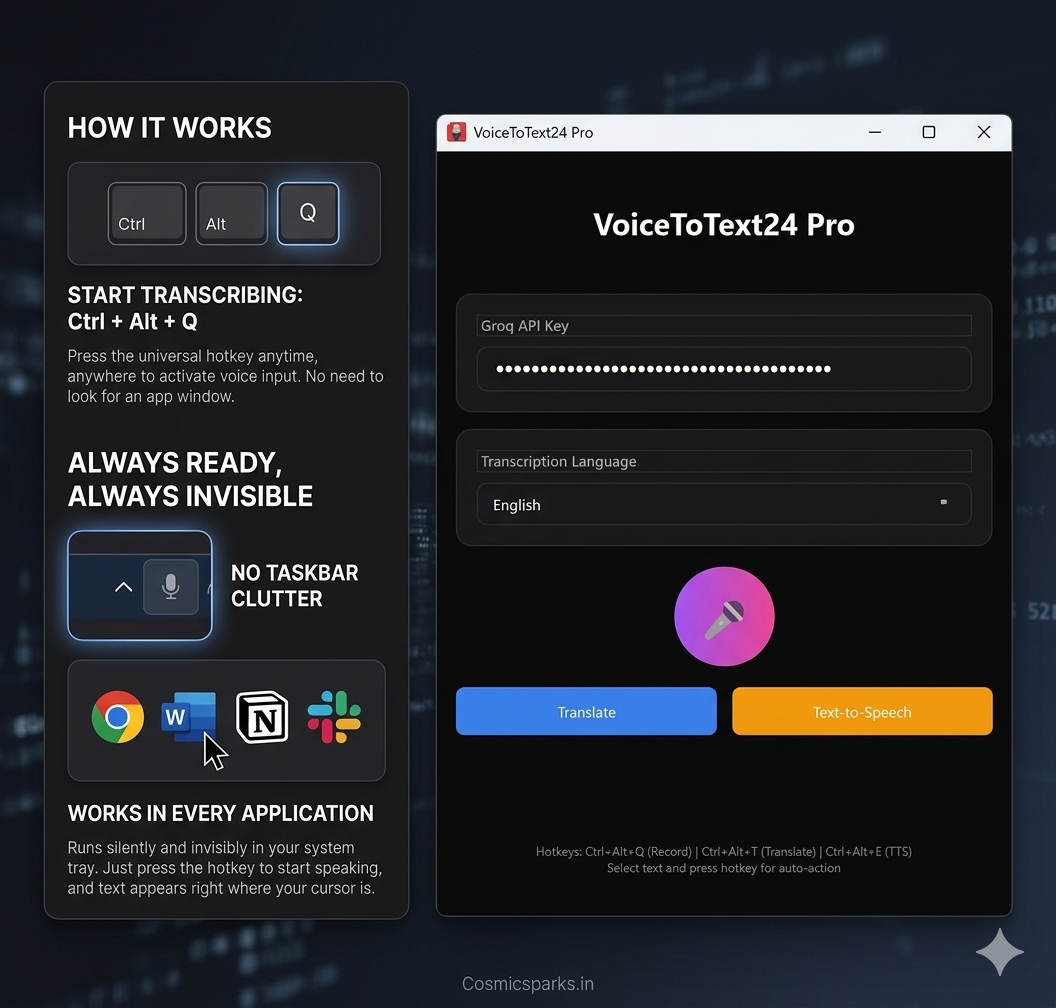
Runs Silently in Background

Unlike other voice typing tools, VoiceToText24 lives in your system tray — completely invisible.

Other Tools

  • Window always visible
  • Manually open each time
  • Clutters your taskbar
  • Uses CPU always

VoiceToText24

  • System tray hidden
  • Auto-starts with Windows
  • Zero clutter — invisible
  • 0% CPU when idle

Just press Ctrl+Alt+Q anywhere, anytime — and speak.

Always ready. Always waiting. Zero hassle.

How It Works

Three simple hotkeys to control your voice transcription

Ctrl + Alt + Q

Start Speaking

Press the hotkey and start talking. Your words appear instantly where your cursor is.

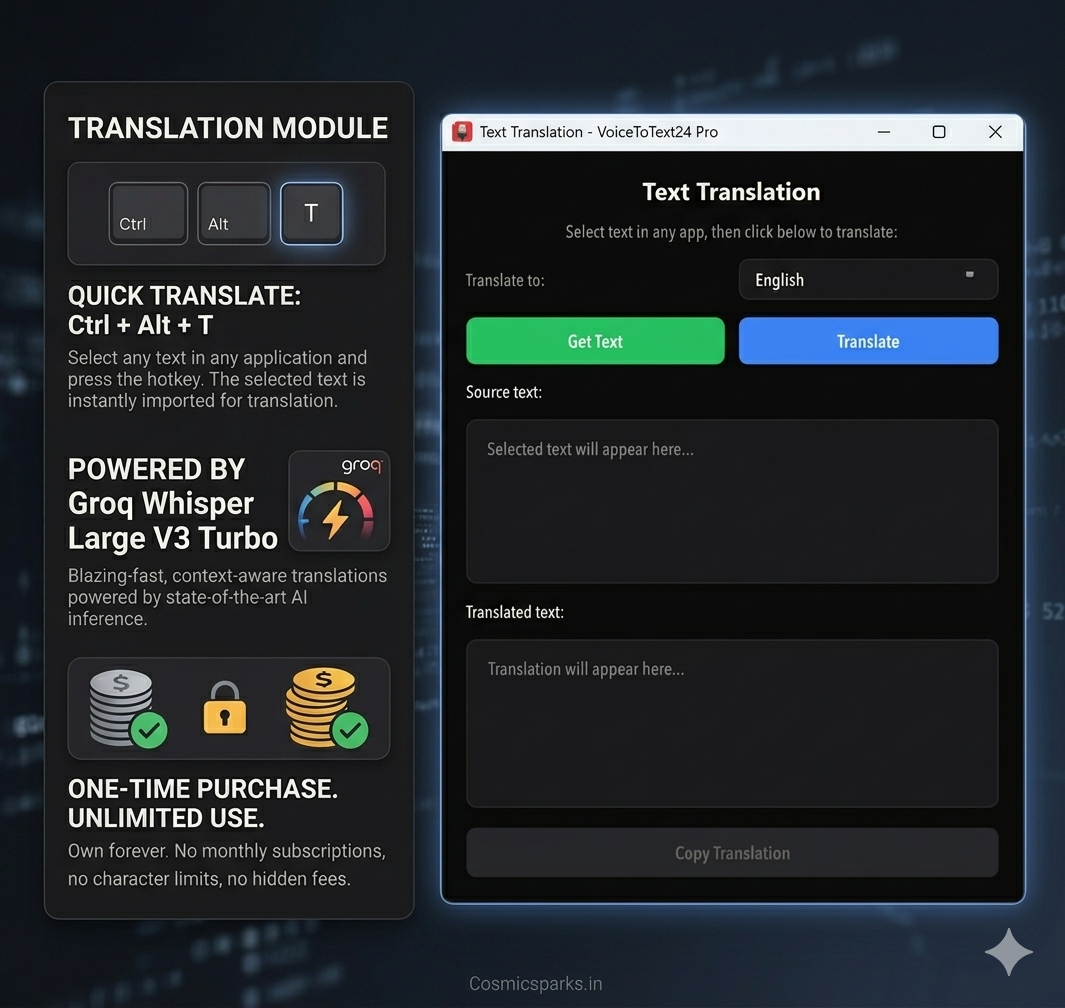
Ctrl + Alt + T

Translate

Select any text and press to translate into 10+ languages instantly.

Pro Feature
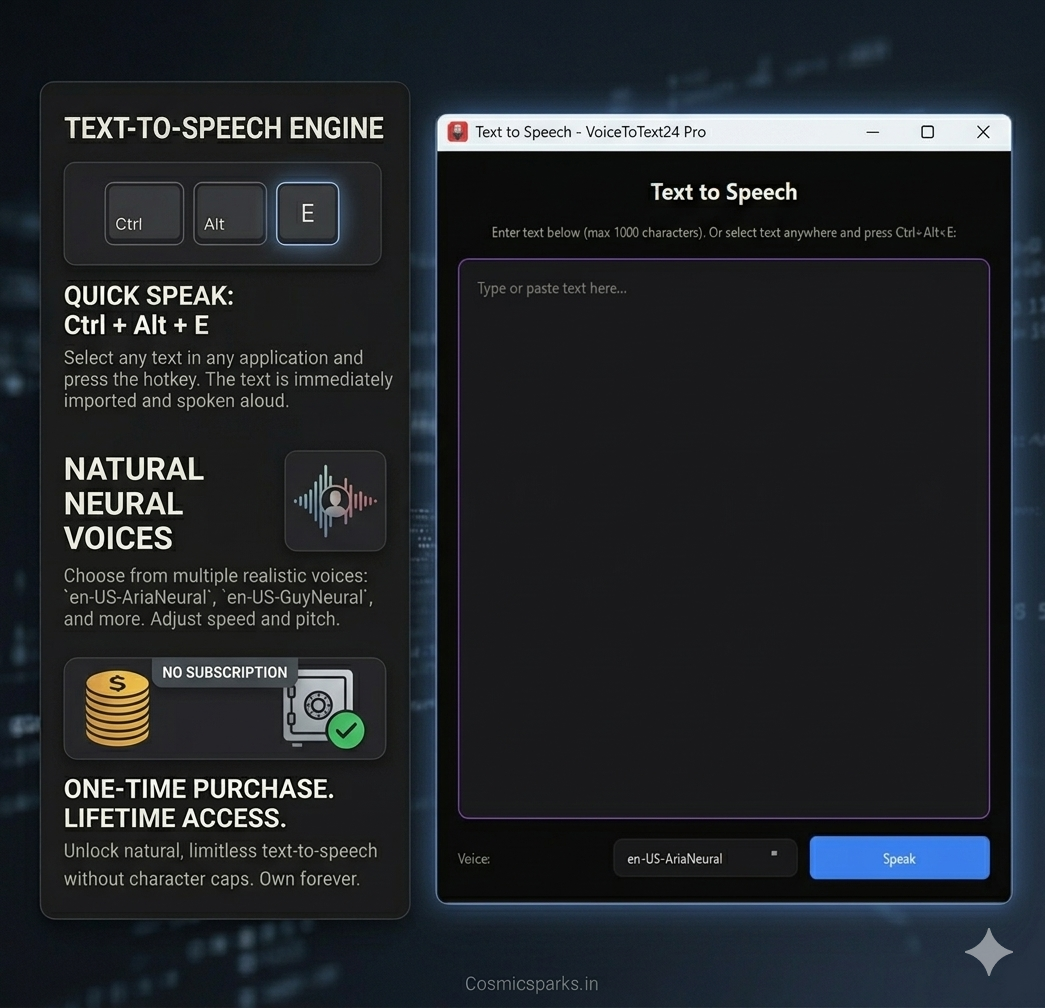
Ctrl + Alt + E

Text to Speech

Select any text and hear it spoken aloud in natural voices.

Pro Feature

Everything You Need

Professional-grade transcription at an affordable price. No subscriptions, no hidden fees.

Lightning Fast

Real-time transcription powered by Groq's ultra-fast inference. Your text appears as you speak.

Accurate

Powered by Whisper Large V3 Turbo for industry-leading accuracy across 35+ languages.

One-Time Purchase

Buy once, own forever. No monthly fees, no subscriptions. Lifetime access included.

35+ Languages

Transcribe in English, Spanish, French, German, Hindi, Urdu, Chinese, Japanese, and many more.

Works Anywhere

Press Ctrl+Alt+Q and text appears wherever your cursor is. Notepad, Word, browsers, everywhere.

Privacy First

Audio processed securely and discarded. Your voice data never stored. Runs locally on your PC.

Works Everywhere

Works anywhere your cursor can type. No special integrations needed.

Chrome
Word
Google Docs
Slack
WhatsApp
Notepad
Any App

Who Is This For?

Perfect for professionals, students, creators, and anyone who wants to save time typing.

Doctors & Healthcare

Dictate patient notes while examining. Save hours daily on documentation. Focus on patients, not paperwork.

Writers & Journalists

Capture ideas instantly. Never lose a thought while typing. Perfect for interviews, articles, and creative writing.

Programmers

Dictate code comments, documentation, and commit messages. Keep your flow state without breaking to type.

Students & Researchers

Transcribe lectures while listening. Create study notes from audio. Focus on understanding, not frantically typing.

Customer Support

Log ticket notes during calls. Document issues while talking to customers. Improve response time and accuracy.

Accessibility

For those with RSI, carpal tunnel, or typing difficulties. An inclusive way to interact with your computer.

Latest from Our Blog

Expert guides, comparisons, and tips to help you master voice typing on Windows.

Ready to Get Started?

Download Voice to Text 24 today and start transcribing instantly.

View Pricing & Download

Windows 10/11 • Free Groq API key required